Redesigning the Onboarding Experience
Being the sole designer, I owned the end-to-end experience.
→ Conducted 20 qualitative interviews and a quantitative study with 45 participants with teachers and coaching centre owners.
→ Identified user pain points with the existing web product and translated into design
→ Designed the onboarding flow along with all admin task based features for the product.
→ Delivered production ready product within 2 months.
Managing multiple student groups with other teachers daily is a struggle. I need to focus more on education that admin tasks
- Coaching centre owner in Dehradun
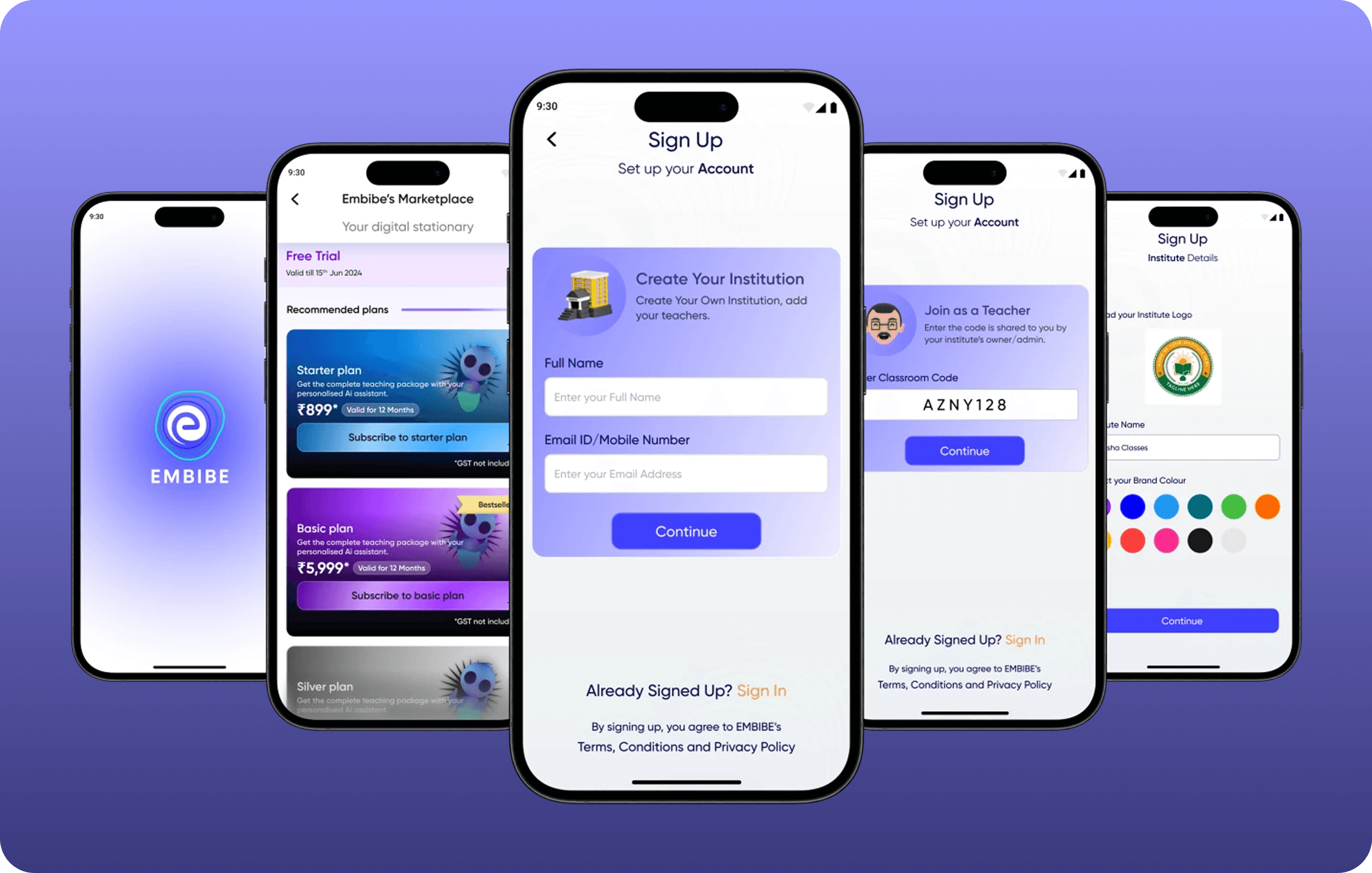
Problem Faced:
The Embibe Classroom App began as a mobile companion to the web platform, which let teachers create lessons, assign homework, and track progress but required desktop access.
To remove this barrier, the app focused on core mobile features: homework assignment and performance tracking. Initially a closed B2B product for Embibe-affiliated teachers, it quickly gained traction and positive feedback, highlighting potential beyond the B2B model.
This led to a shift toward self-onboarding, enabling any teacher to sign up and use the app. You were assigned as the sole designer to lead this transformation.
🔍 The Research Findings
Implement a more flexible sign-up process that allows users to customize their roles and institute settings during registration. This could include options for single or multiple-teacher setups.
Introduce features that support collaborative teaching environments, such as shared classrooms, subject-specific permissions, and tools for joint lesson planning and student management.
Provide tools for admin/owners to manage institute branding (logo, color theme) and student enrollment centrally while ensuring ease of access and collaboration for all teachers within the institute.
Clearly define and differentiate roles within institutes, ensuring that each user type (admin/owner, subject teacher) has access to appropriate functionalities and permissions aligned with their responsibilities.
💡 The Design Solution
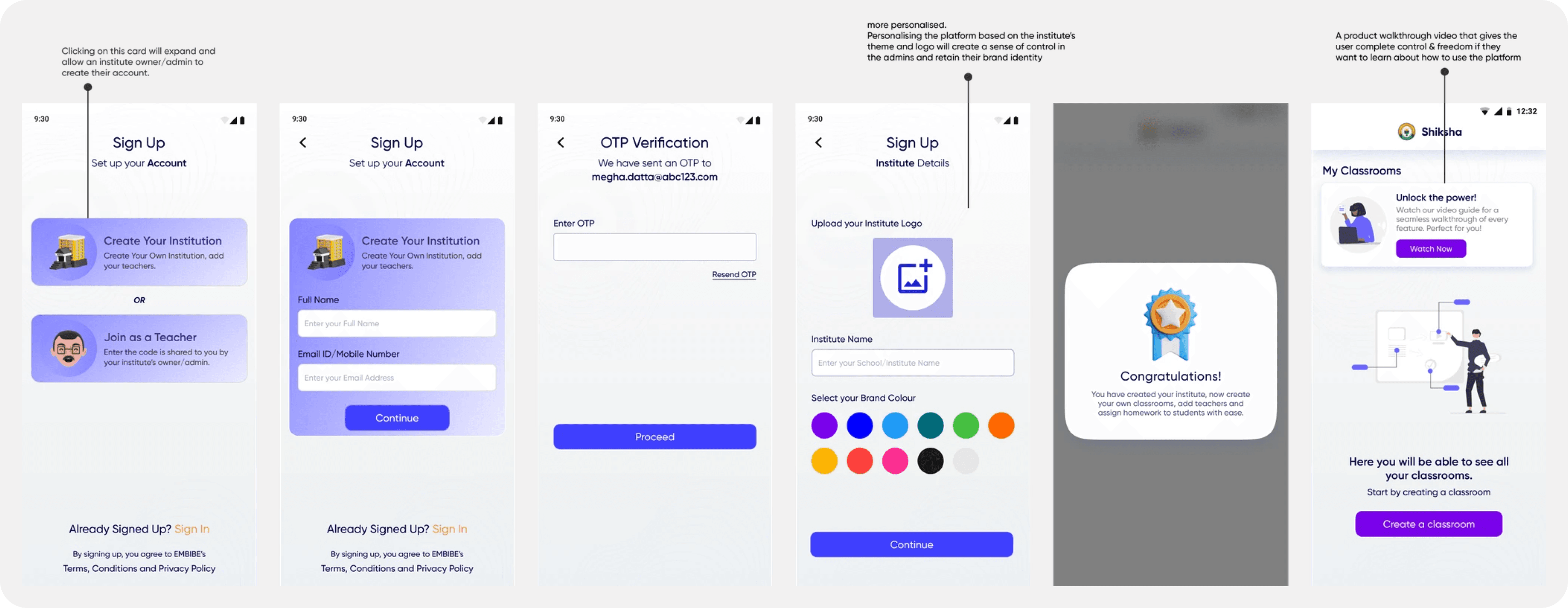
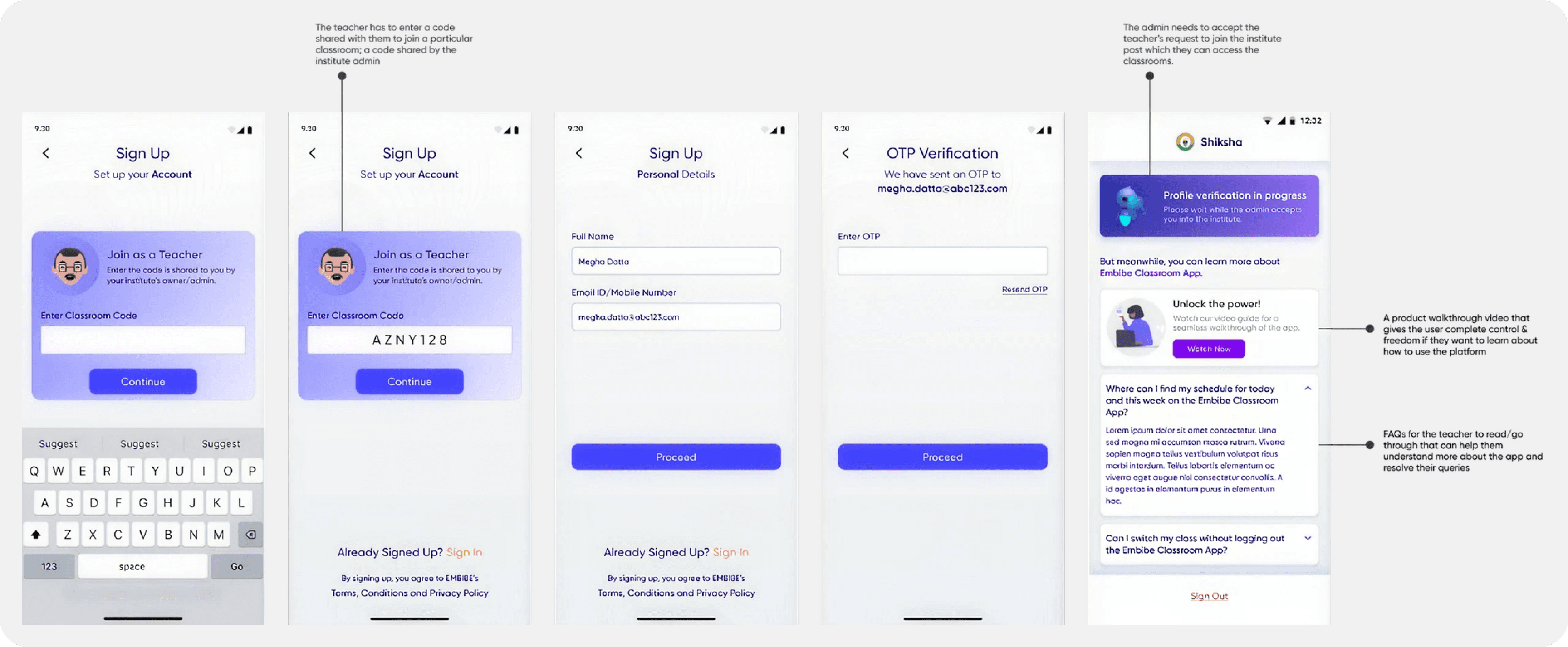
There are two distinct flows: 1. The onboarding flow for the ADMIN and, 2. The onboarding flow for the TEACHERS joining an existing institute.
Sign-Up Flow for Admins
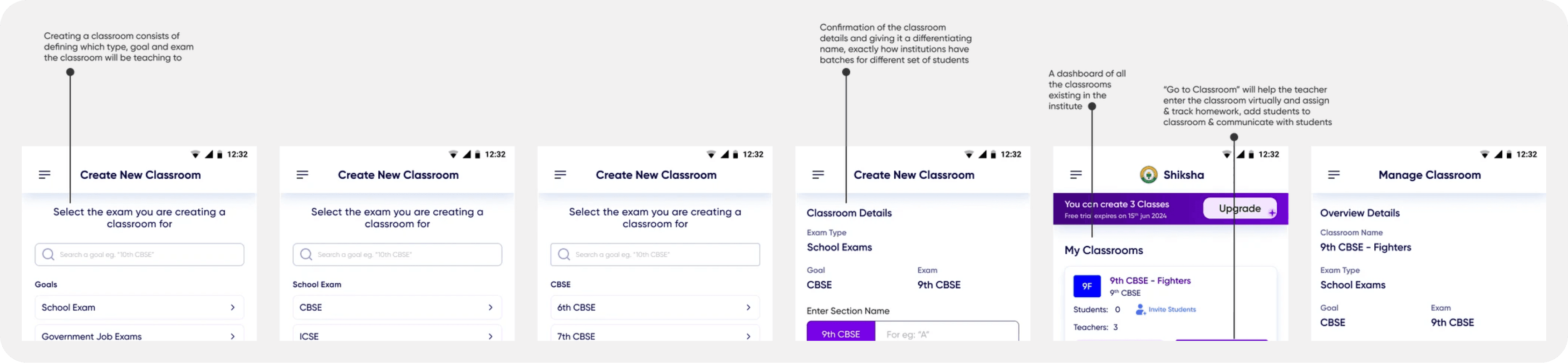
Sign-Up Flow for Teachers
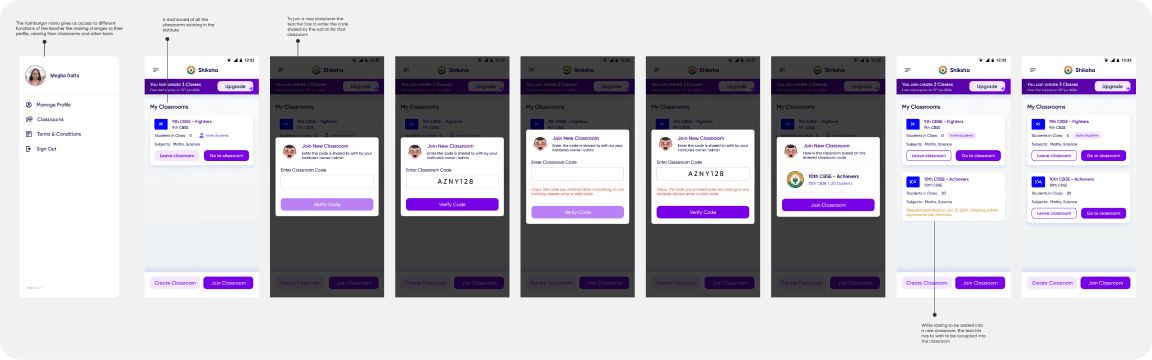
Hamburger Menu & Join a New Classroom
The teacher views a UI specific to that institute with the color scheme and the institute logo present
📊 The Outcome
The app was launched as a complete solution for tuition centres and individual teachers to assign homework and tests to students as well as track their progress. The application has an average rating of 4.9 on iOS and Android Playstore.
Feedback from exisiting teachers on the Embibe School App has also been positive.
💭 Reflection
This project was one of my first experiences as a solo lead designer, teaching me how to balance stakeholder expectations while shaping them around real user needs. It strengthened my ability to design with both empathy and strategy.